How the Gliffy Diagram agent works
The Gliffy Diagram agent creates diagrams from prompts entered in a Rovo chat. After it creates a diagram, the agent inserts it into the selected location. For Flowcharts, Class Diagrams, and Sequence Diagrams, the agent generates an editable Mermaid diagram that you can further modify. Other diagram types aren't currently editable after generation. To learn more, see Diagram types supported by the Gliffy Diagram agent.
The behavior of the agent depends on the chat experience you use, diagram type, and where the diagram is inserted.
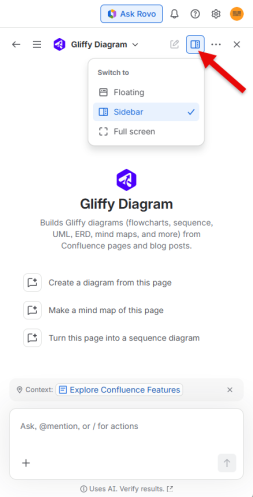
Chat window options
The context that the agent can use depends on the selected chat window:
| Chat window | Behavior |
|---|---|
| Floating | Can use the current Confluence page as context. |
| Sidebar | Can use the current Confluence page as context. |
| Full screen |
Does not automatically use the current Confluence page as context. You must provide the name of a Confluence page or a link to the page that the agent should use as context. |
Refresh behavior
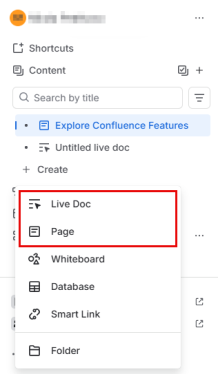
When the agent generates a diagram, it adds the diagram to the selected location in your Confluence space. The resulting behavior can vary depending on whether the destination is a Confluence Page or a Live Doc. Review the destination and refresh behavior before you rely on the generated diagram in an active document.
Limitations
Currently, the Gliffy Diagram agent has the following limitations:
-
Editing diagrams through chat is not available.
-
Chat does not provide a diagram image preview.