View more shape libraries
If you do not see the shape library you want, you can add additional shape libraries to your editor. The Images library, within the Basic and Flowchart category enables you to add your own images to your diagrams
To quickly expand all visible shape libraries at once, at the bottom of the shape libraries pane, select the expand  button. To collapse all libraries, select the collapse
  button.
button. To collapse all libraries, select the collapse button.1. At the bottom of the shape libraries, select More Shapes. The More Shapes window opens.
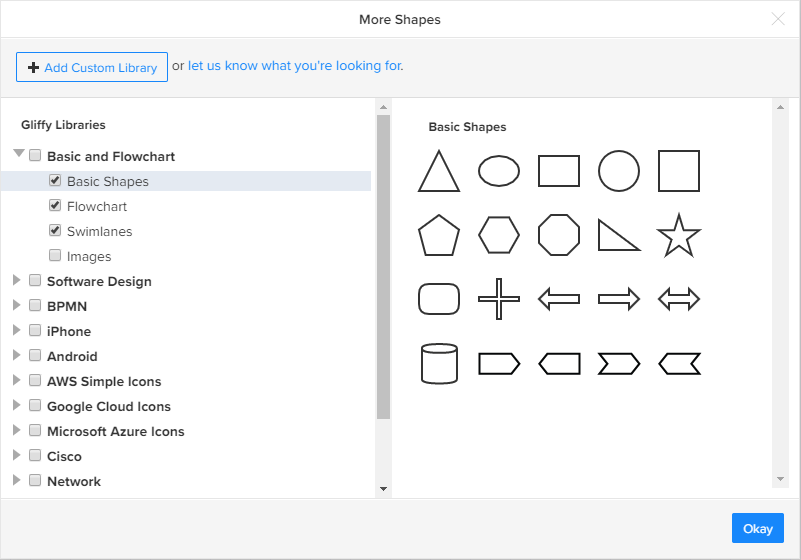
2. Select the arrow to the left of a shape library to expand a category and view additional libraries.
3. Select a library name to view the shapes it contains.
4. Select the checkbox for the libraries that you want to add to your editor and select Okay.
The shape library appears in the sidebar to the left of the editor.