Update the Gliffy Diagrams for Confluence Cloud app
Updating the Gliffy Diagrams for Confluence Cloud app to the latest version improves diagram loading and editing performance by moving back-end operations from the Connect engine to the Forge engine.
Before you begin, ensure that you are using the Cloud version of the app.
-
Go to admin.atlassian.com.
-
Select Apps, then select Sites.
-
Select the site where the Gliffy app is installed.
-
Select Connected apps.
-
In the list of apps, select Gliffy Diagrams for Confluence.
-
Select View app details.
-
Select Update.
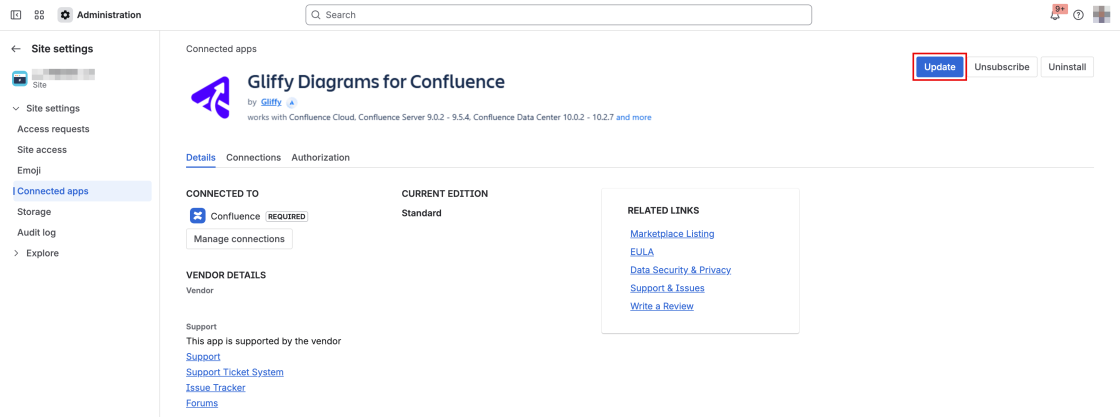
If the Update button is unavailable, the app is up to date.
After the update, diagram text search results might open a broken or incorrect diagram. Rebuild the search index to fix diagram text search results.