Migrate Gliffy diagrams from Data Center to Zero Egress
For information about Atlassian-managed steps including authorization and installation, see the Atlassian support articles Manage Marketplace apps for Atlassian Government apps, or Learn about Atlassian Isolated Cloud.
Use this procedure to migrate Gliffy diagram data from Confluence Data Center to the Gliffy Zero Egress | Compliance-Ready Diagramming app. After you complete all steps, your migrated Gliffy diagrams are available and usable in the Zero Egress app.
This migration requires a manual export and import of your Gliffy data. The Confluence Cloud Migration Assistant (CCMA) migrates the rest of your Confluence content, including Gliffy diagram attachments.
To learn more about the Gliffy Zero Egress | Compliance-Ready Diagramming app, see Gliffy Zero Egress Documentation.
Prerequisites
You must complete all of the following tasks before starting the migration to ensure it succeeds:
-
Install the Gliffy Zero Egress | Compliance-Ready Diagramming app. To learn more, see Install Gliffy automatically.
-
Uninstall the Gliffy Diagrams for Confluence Cloud app if you have it installed. To learn more, see Manage apps.
-
Ensure that your Gliffy for Confluence plugin is updated to the latest version. To learn more, see Update the Gliffy for Confluence plugin.
What to do next
To migrate Gliffy diagrams from Confluence Data Center to the Zero Egress app, complete all of the following tasks in order:
Troubleshooting
If the migration is stuck at 0%, verify that you completed all prerequisites in this article and restart the migration.
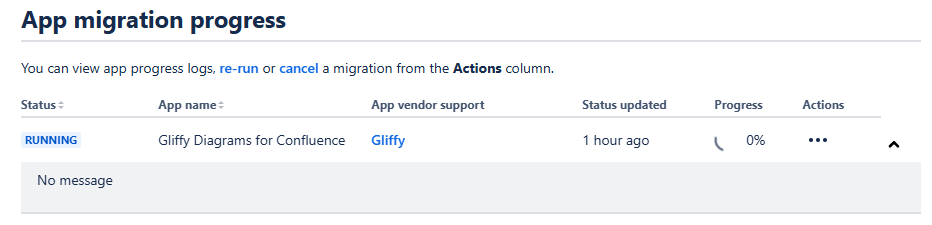
You can also run pre-migration checks in the CCMA. Fix any issues it reports and restart the migration.